Photos in a group chat
Every photo is geotagged, dated and tied to the BOQ line it proves.
Construction project delivery software
BuildLink connects your bill of quantities, daily site evidence and valuations in one record. The QS certifies faster, the owner pays with confidence, and the contractor stops chasing.
Free plan includes 1 active project and 3 seats. Invited clients and consultants never take a paid seat.
The problem
The work is on site. The photos are in a chat. The measurement is in a spreadsheet. The certificate is a PDF. Nobody can show the owner how they connect.
Photos in a group chat
Every photo is geotagged, dated and tied to the BOQ line it proves.
Measurements in a spreadsheet
The valuation is built from the BOQ, so quantities, rates and retention are always the same numbers.
Owner asks “what am I paying for?”
A read-only proof portal shows progress, certificates and photos without a site visit.
How it works
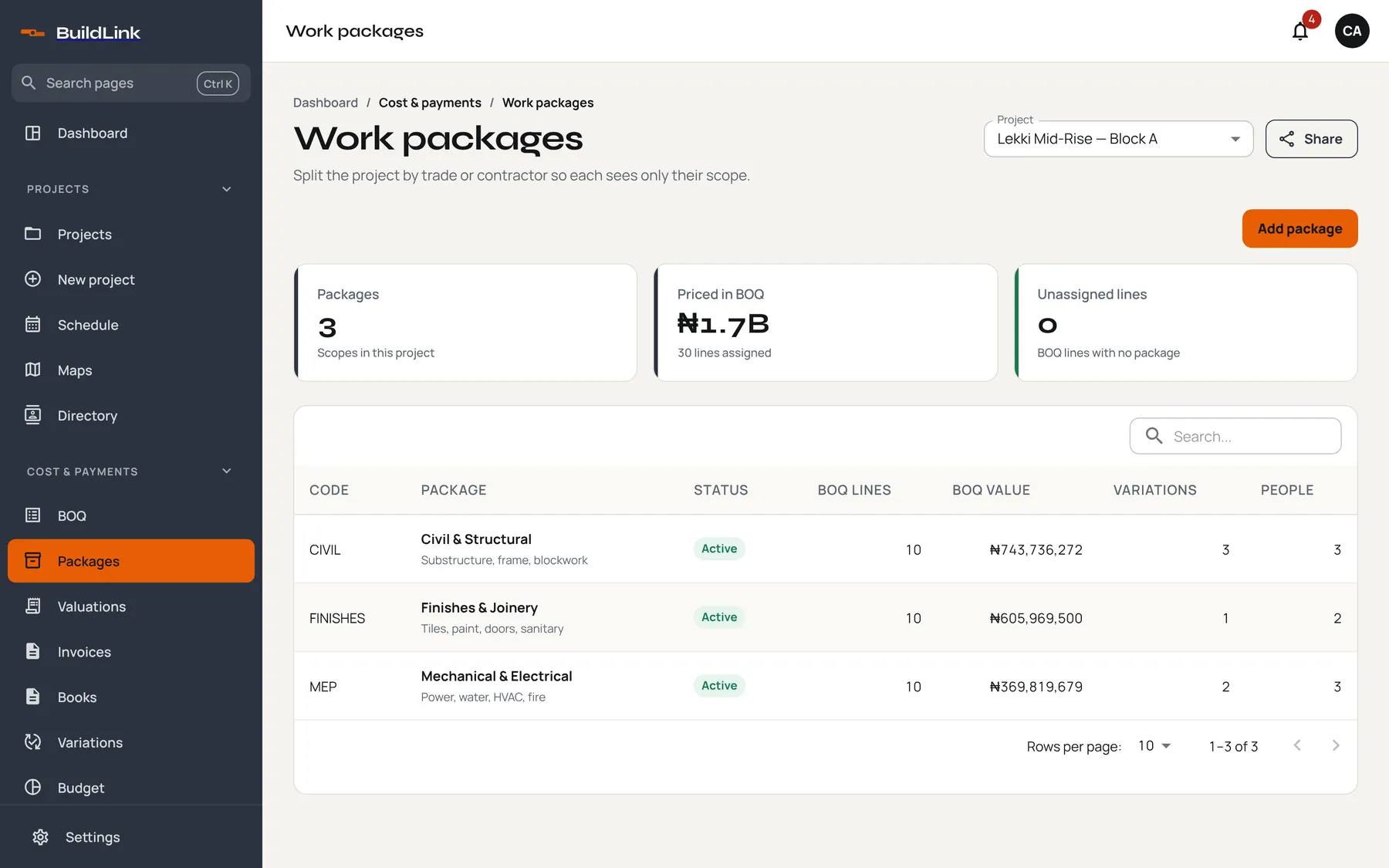
Import the bill of quantities, split it into work packages and give each one to a crew or subcontractor. Rates, quantities and variations live on the line, not in a side file.
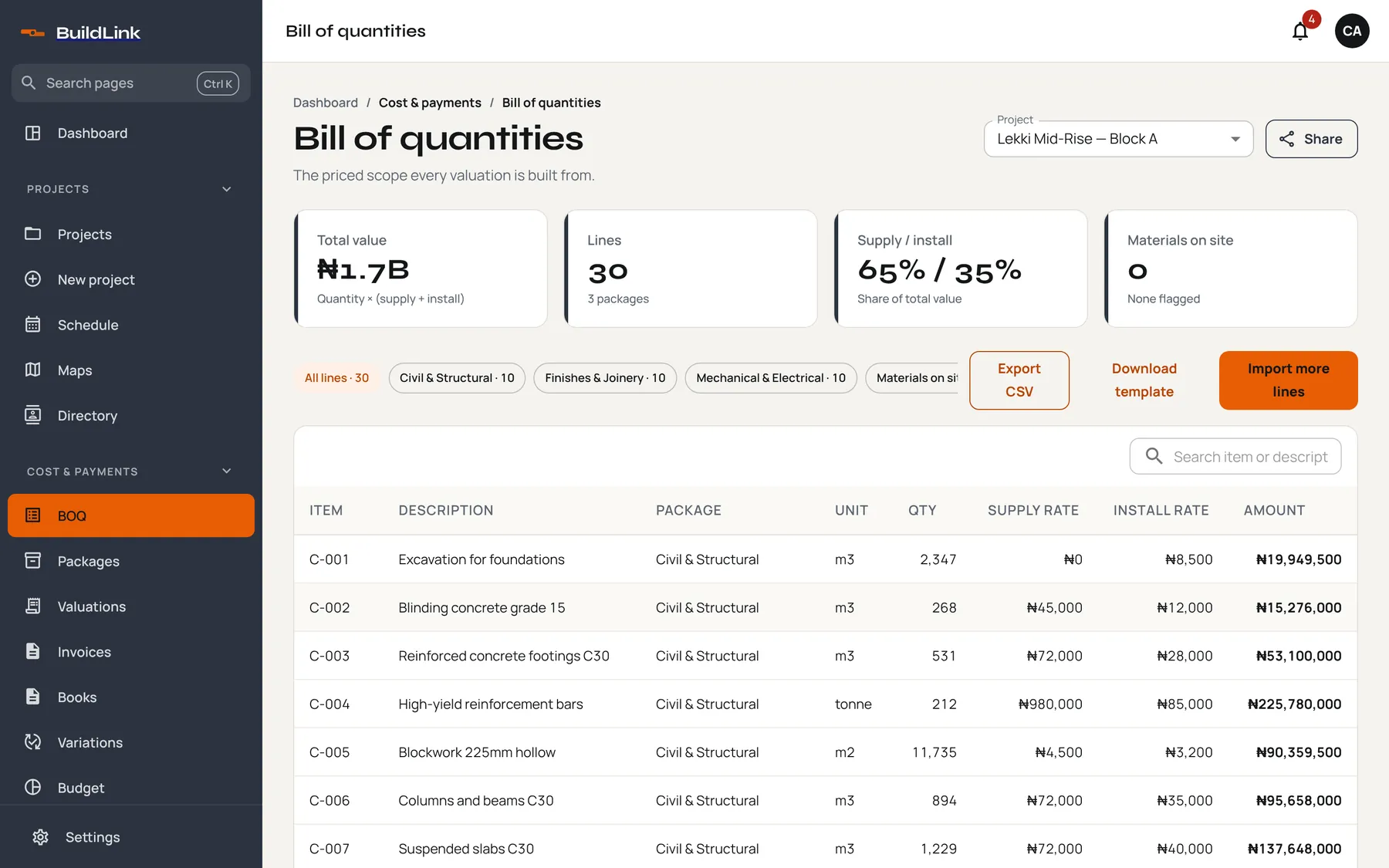
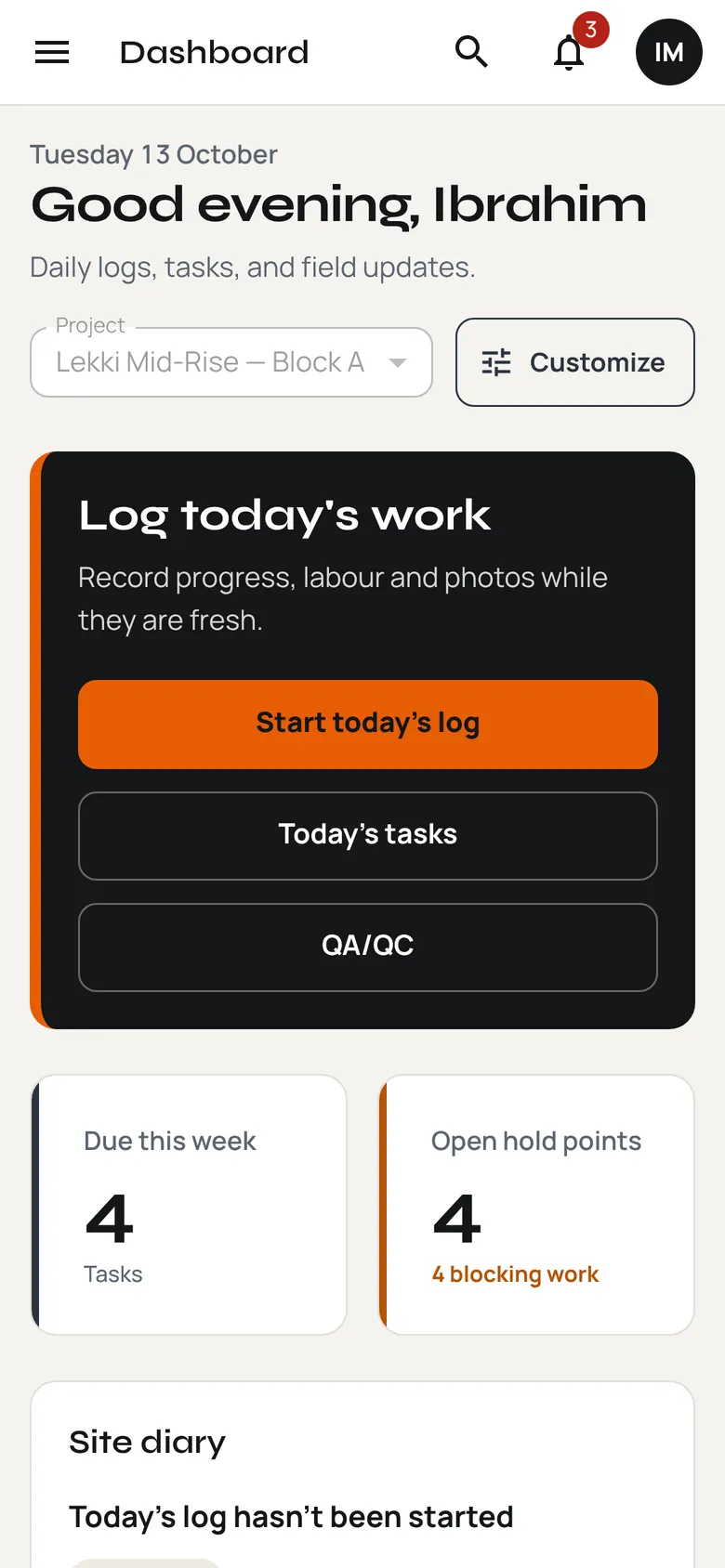
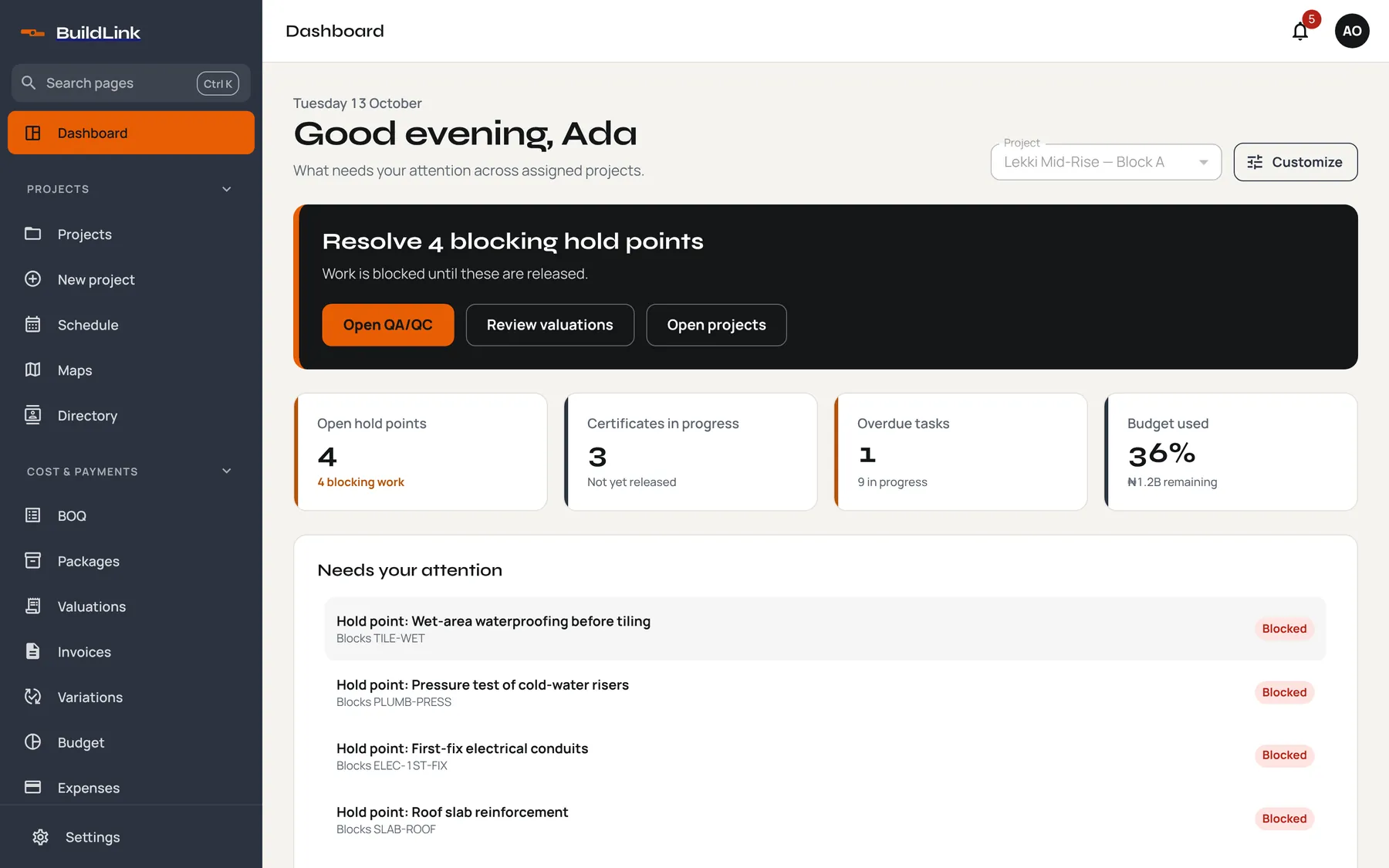
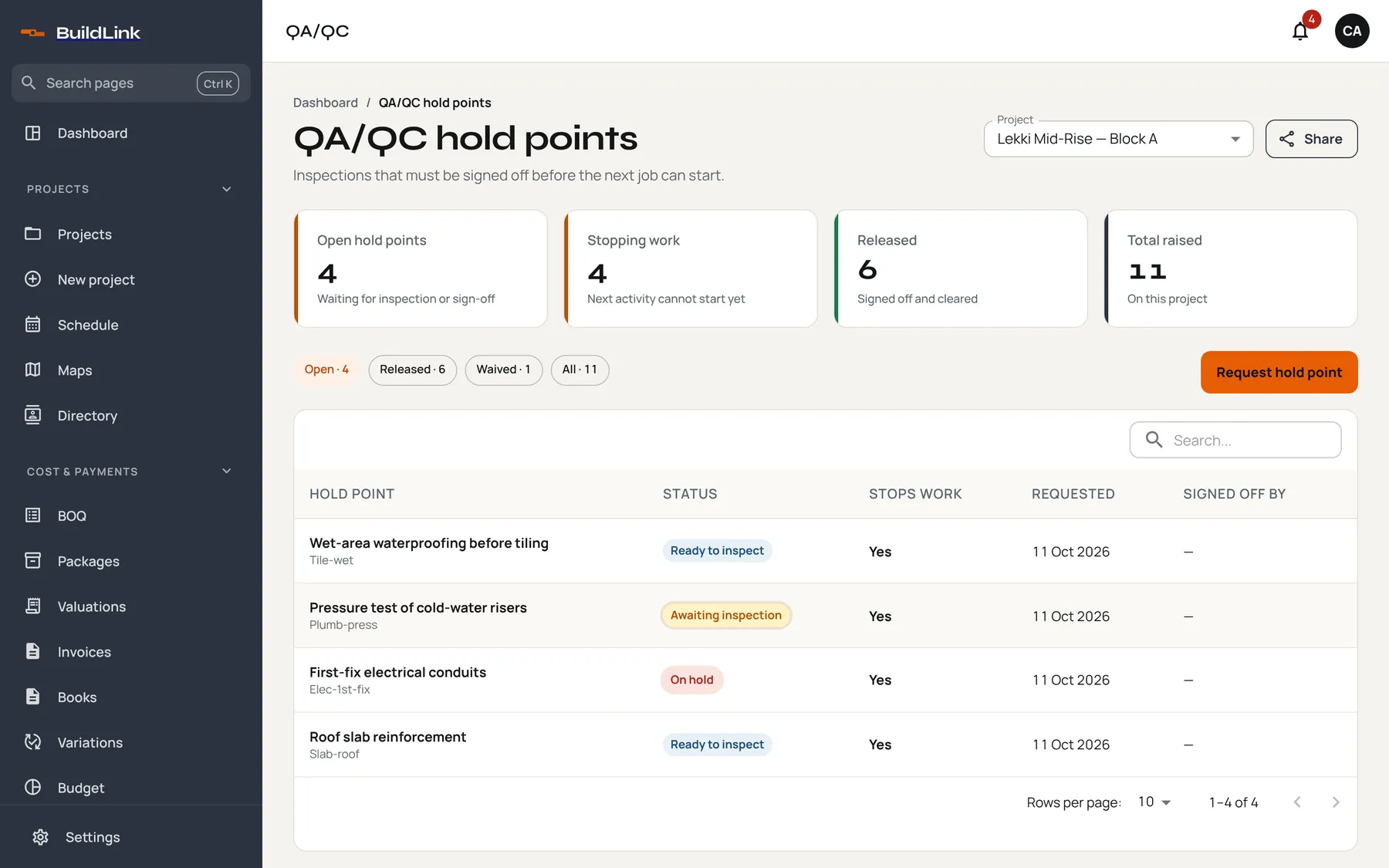
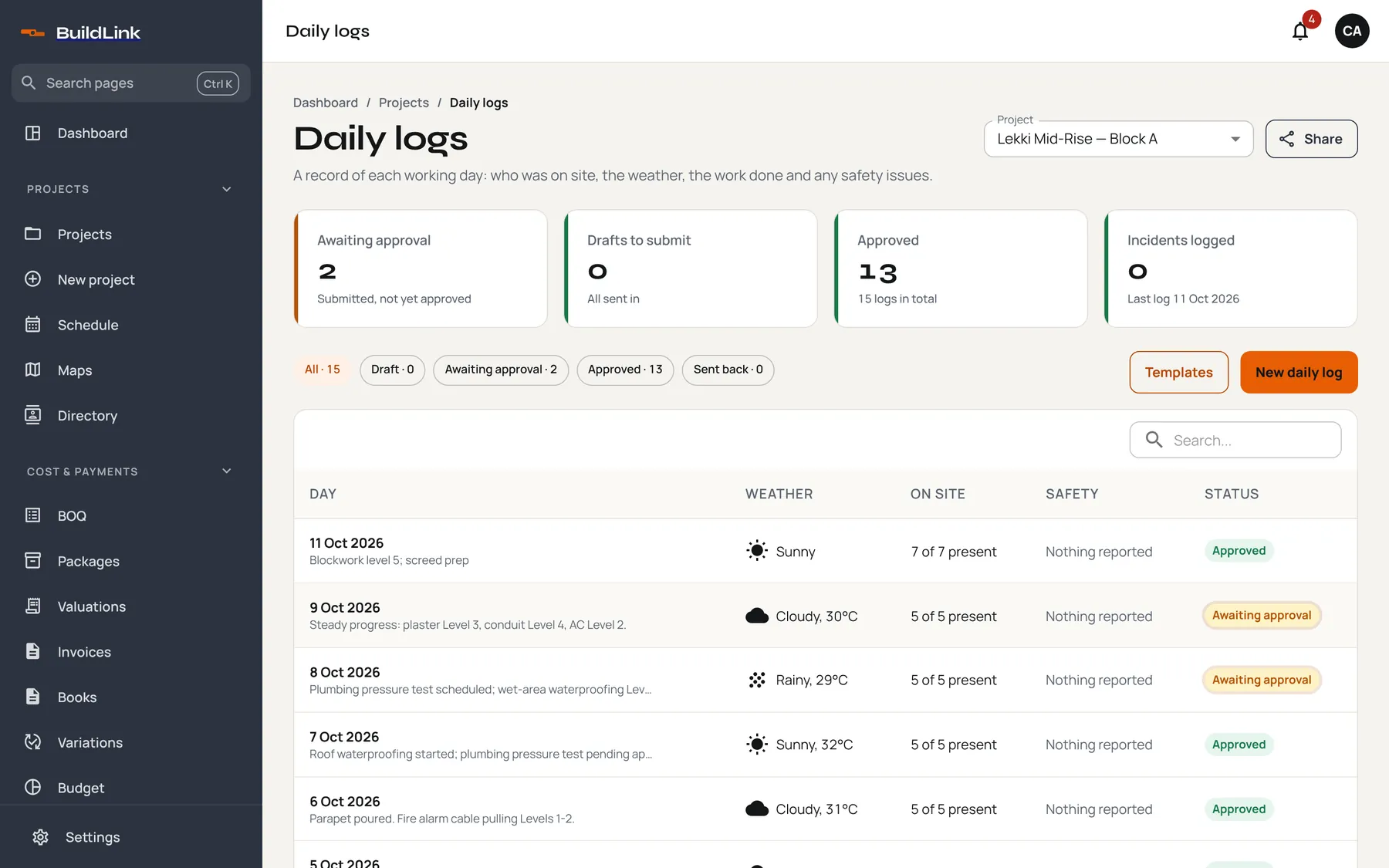
Site engineers log the day from their phone. Hold points stop work until the right person signs off. Photos and logs attach themselves to the BOQ lines they cover.
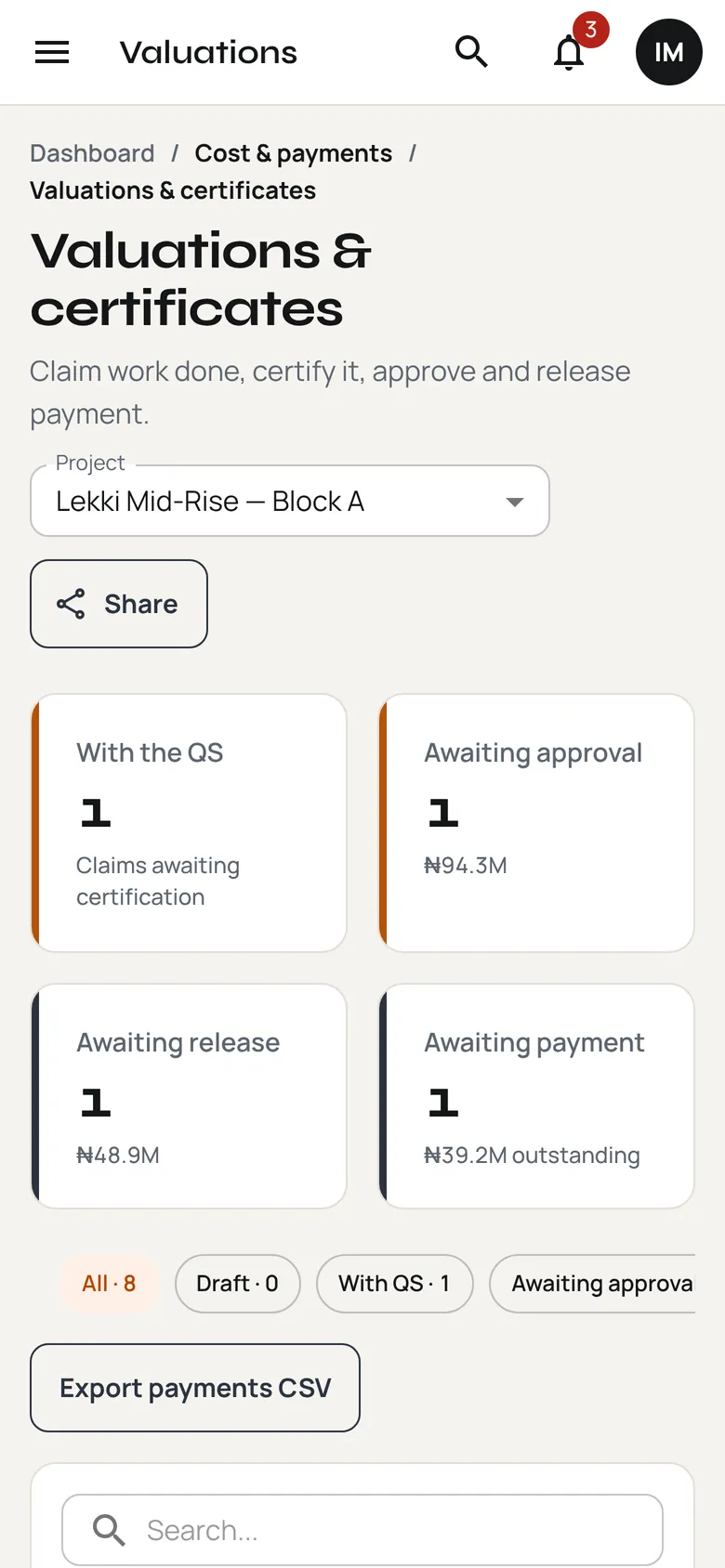
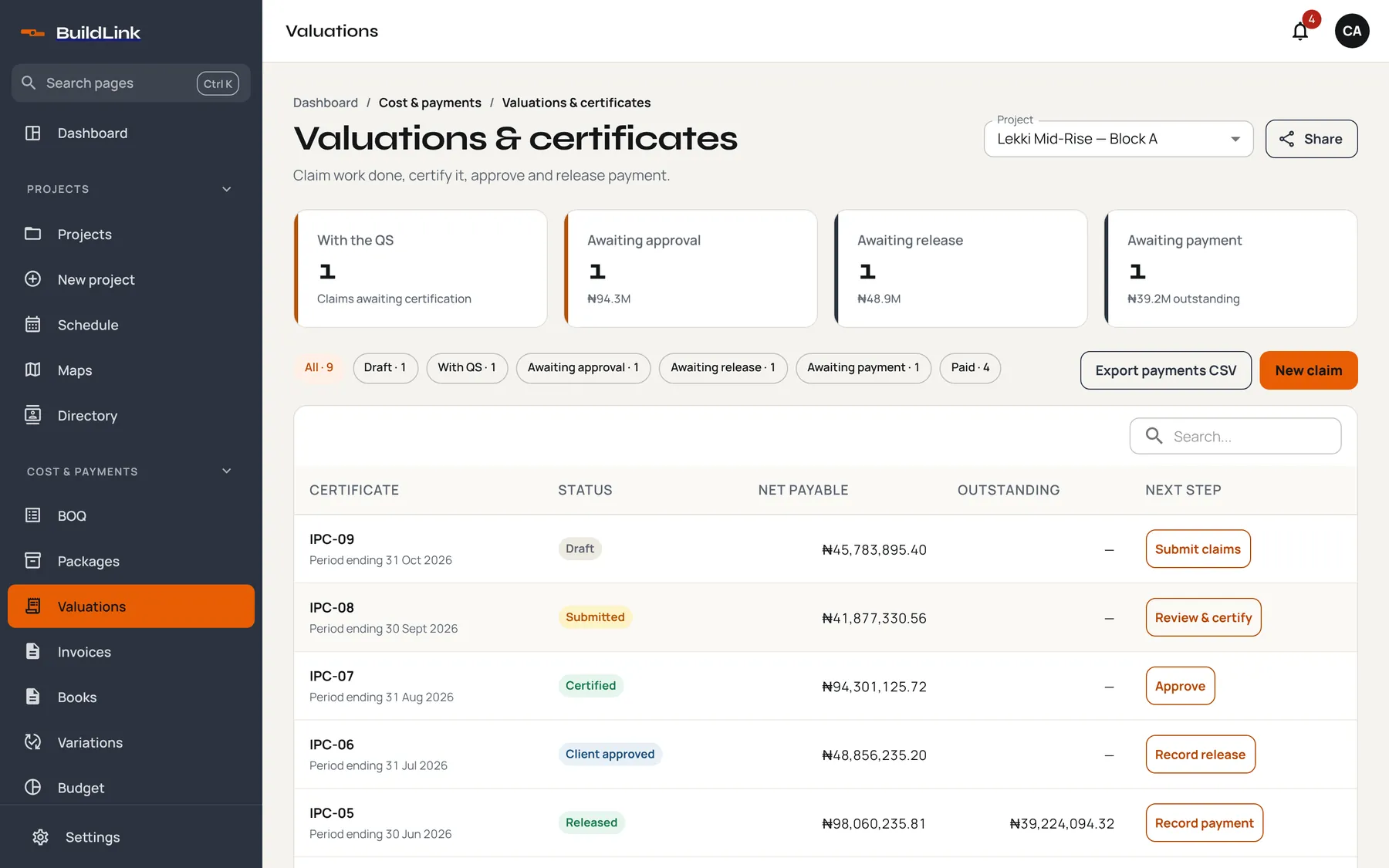
Raise the interim payment certificate with the evidence already attached. The QS reviews, the client approves, and everyone sees who the claim is waiting on.
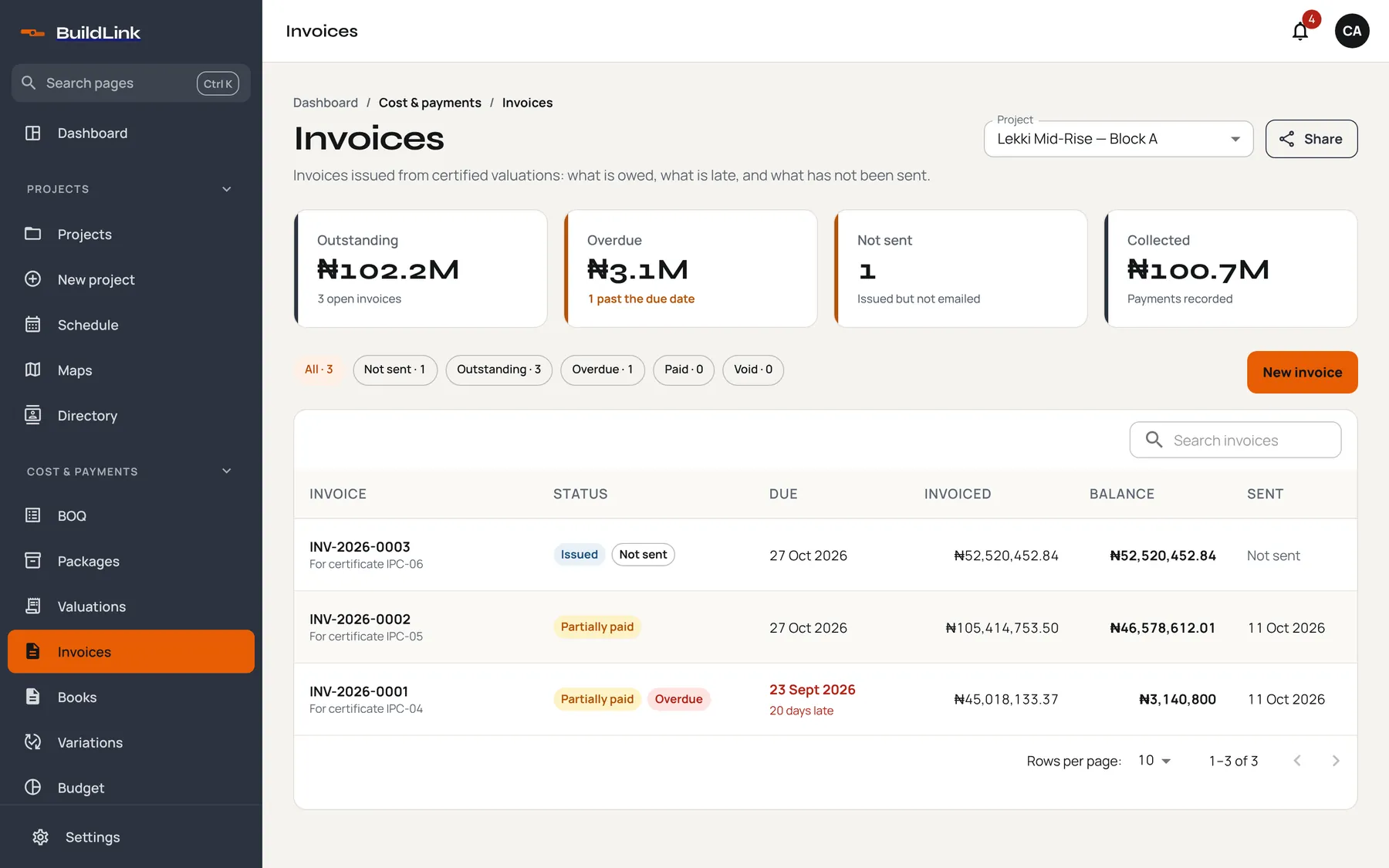
Issue a branded PDF invoice from the certificate, email it to the client, and track what is outstanding and what is late. Each payment gets a receipt.
The product
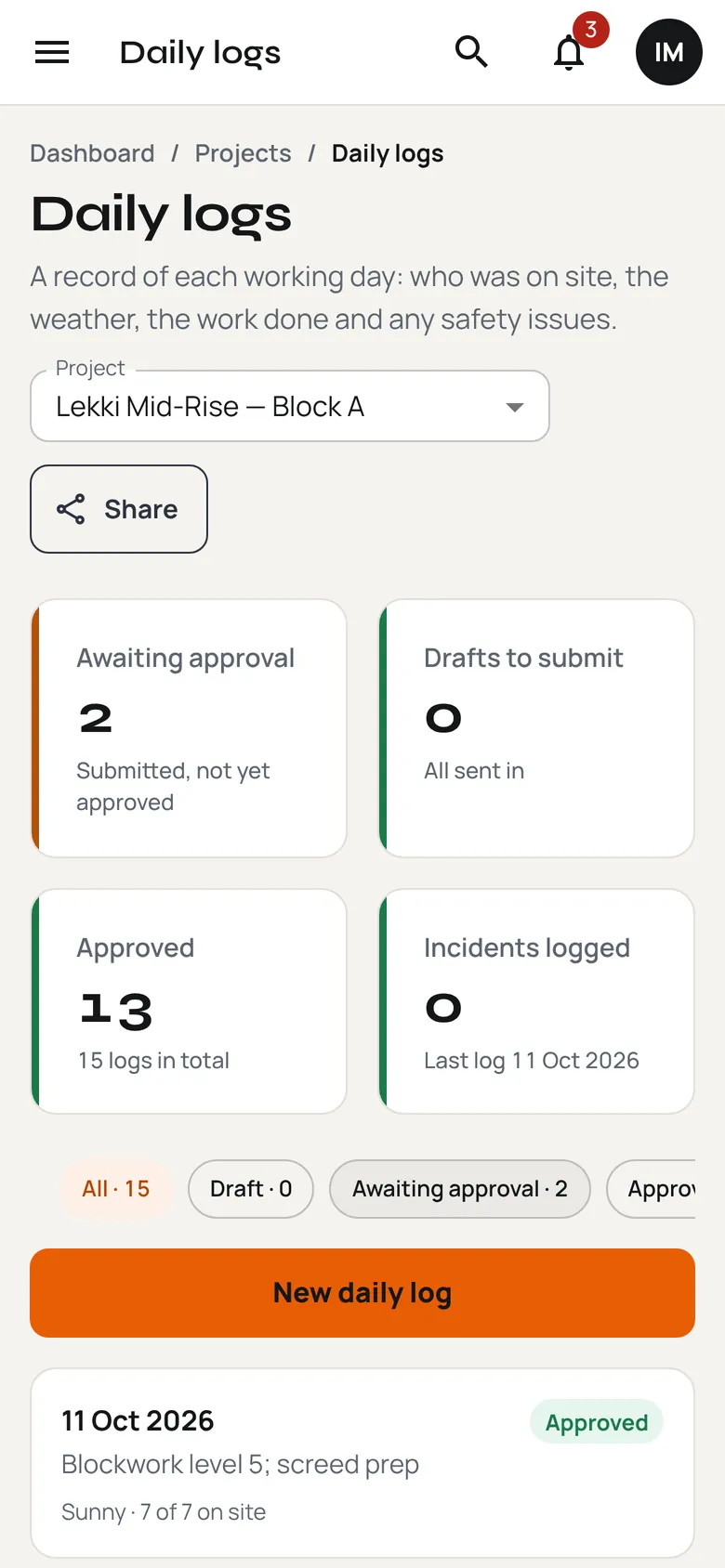
Claim work done, certify it, approve it and release payment. Each certificate shows its status, what it is worth and who it is waiting on.
Work that depends on an inspection stays blocked until it is released.
Logo, VAT, terms and bank details, generated as a PDF from the certificate.
See what is running late, what is next, and which tasks control the finish date.
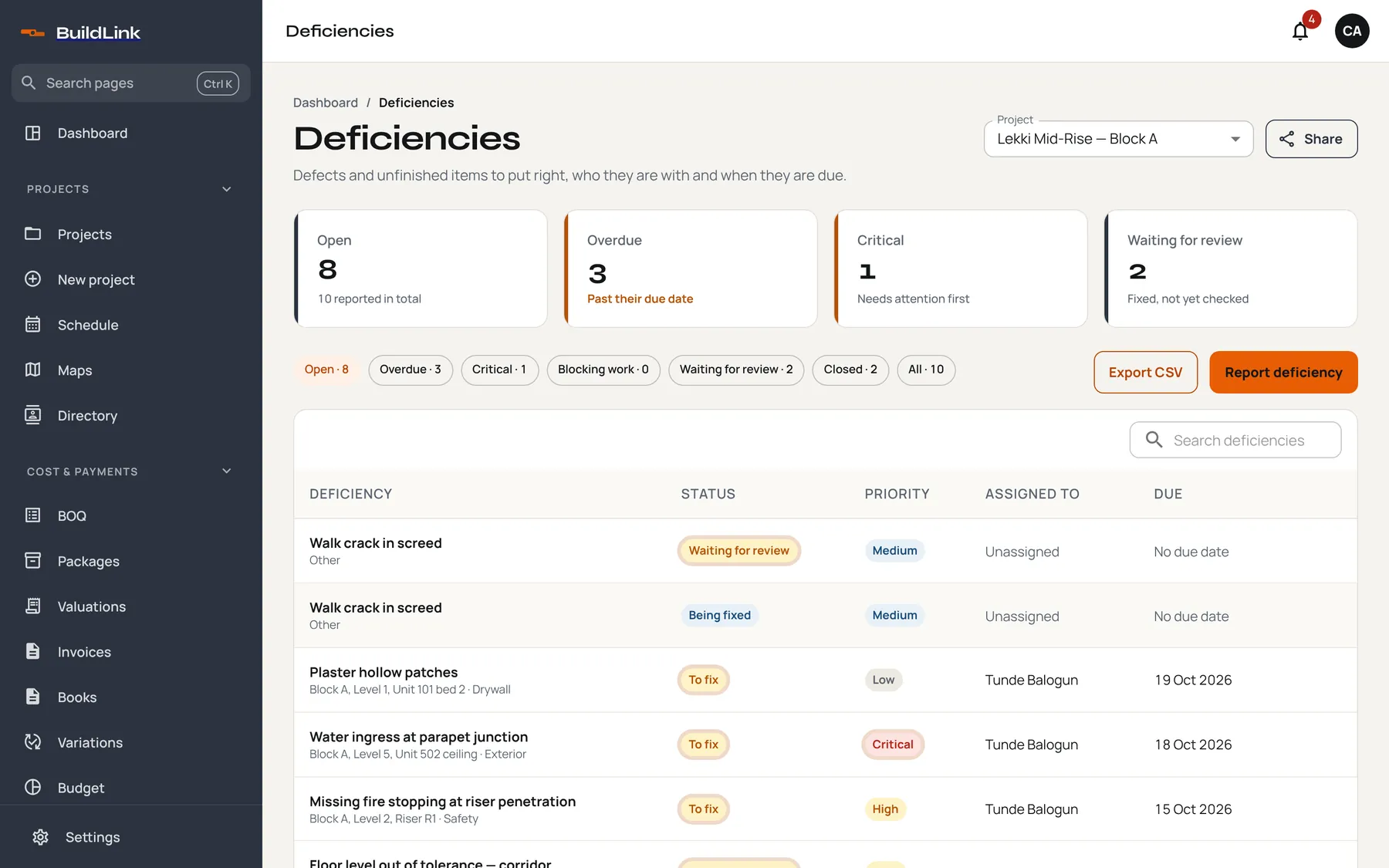
Instructions, changes and snags are tracked from raised to closed, each with a photo and an owner.
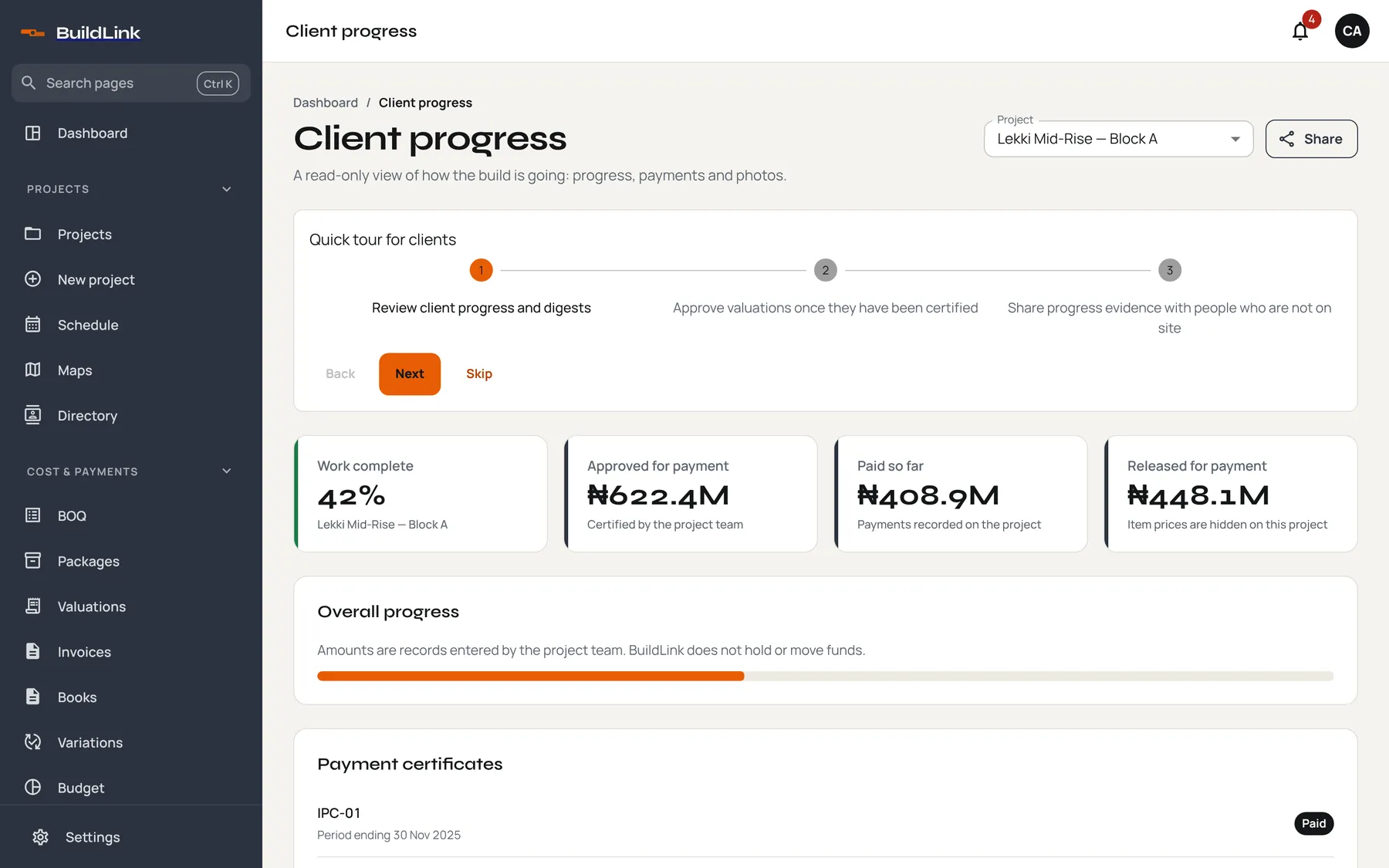
Owners and funders get a read-only view of progress, certificates and photos. No site visit, no extra seat, and your private costing stays private.
Built for the field
Site engineers don’t want another system. They want to log the day, snap the pour and move on. BuildLink opens on a big “Start today’s log” button and keeps everything else out of the way.
Who it’s for
Built for projects anywhere
Every date shows in the right time zone, and every amount in the project’s own currency. Calendar dates such as a period ending or a due date never slip a day for someone in a different zone.
Security and control
Permissions follow the role on each project. Contractor costing is hidden from client roles by default.
Certifications, approvals, voids and permission changes are recorded with who did them and when.
Proof links default to an expiry and can be revoked, so a forwarded link doesn’t live forever.
Download your BOQ and payments as CSV at any time. BuildLink records amounts and does not hold or move money.
Pricing
Invited clients, consultants and subcontractors never use a paid seat. Prices are in Nigerian naira.
₦0
Try BuildLink on a real project.
₦25,000per month
For a contractor running a few jobs.
₦75,000per month
Valuations, QA/QC and the full chain.
From₦250,000per month
For contractors and developers at scale.
Extra seats are ₦2,500 each per month. Prices exclude VAT.
Questions
No. Amounts display in each project’s own currency and dates follow the project’s time zone. Plans are priced in naira today.
No. Invited clients, consultants and subcontractors don’t take a paid seat. They see the project through their own role.
No. Private costing, stock and payroll stay hidden from client roles. Clients see progress, certificates and evidence.
No. BuildLink records certificates, invoices and payments. It does not hold or move funds, and it is not a replacement for your accounts package.
Once a valuation is certified, you issue an invoice from it. BuildLink creates a PDF with your logo, VAT and bank details, emails it to the client, and tracks what is outstanding and overdue.
Yes. Import it from CSV, then split it into work packages. You can export it again at any time.
Create a free workspace, add a project and import the BOQ. Invite your team when you are ready.
Set up a project in minutes. Import the BOQ, invite the team, and certify with proof.